
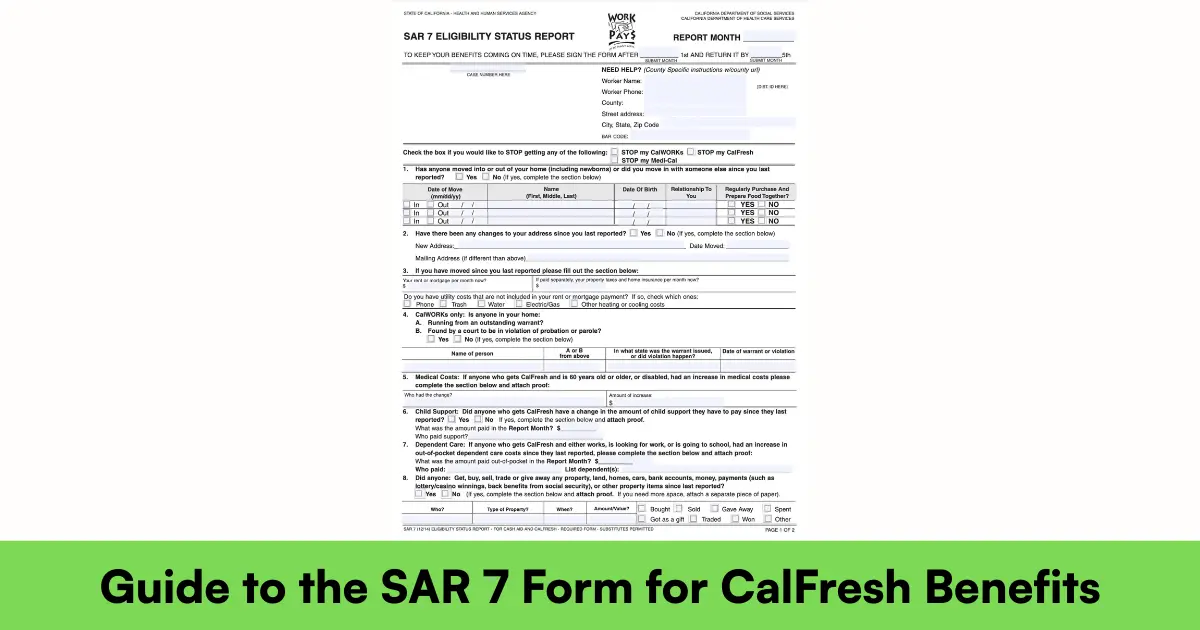
The SAR 7 (Semi-Annual Report) is the most important form you’ll file as a CalFresh recipient — miss it or mess it up, and your benefits can stop the very next month. In 2026, with the One Big Beautiful Bill cutting $186 billion from SNAP and adding stricter reporting rules, the SAR 7 is your lifeline to continuous food assistance. This detailed, step-by-step guide covers everything you need to know — from what the form is to exactly how to submit it and what happens if you’re late.
What is a SAR 7 Form?
The SAR 7 is California’s mandatory mid-certification report for most CalFresh households. It is not a full recertification — it’s a six-month check-in where you report:
- All income received in your submit month (the month before the due date)
- Any household changes (new people, moves, etc.)
- Expenses that affect your benefit amount (rent, utilities, medical costs)
Why it exists: To make sure your CalFresh amount stays accurate and you’re not over- or under-paid.
Who must file: Almost everyone except elderly/disabled households with no earned income (they may be on simplified reporting).
When you get it: Mailed around the 20th–25th of your submit month (e.g., if due in July, mailed in June).
Legal name: Eligibility Status Report – SAR 7 (form number SAR 7, Rev. 10/24)
Affiliate Links — If you sign up, we may earn a commission. As an Amazon Associate we earn from qualifying purchases.

In 2026, the SAR 7 is more critical than ever — OBBBA’s 6-month eligibility checks starting December 2026 mean counties are already tightening scrutiny.
How to Fill Out a SAR 7 Form?
The SAR 7 is a 4-page form (sometimes 5 with instructions). You can fill it online (easiest) or on paper.
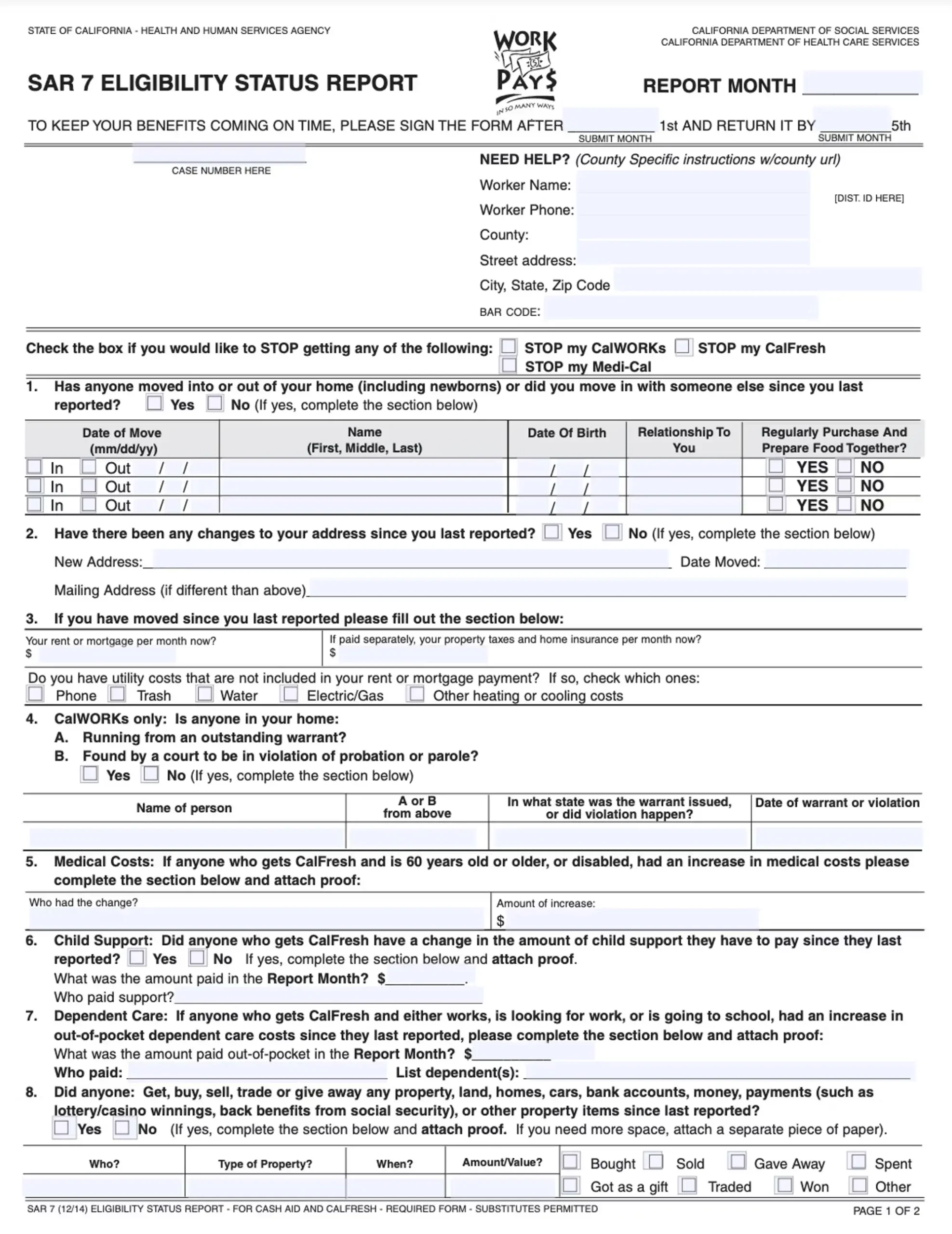
Step-by-Step Instructions (2026 Version)
Page 1 – Household Information
- List every person living with you (even if they don’t get benefits)
- Include SSN, birthdate, relationship
- Mark if anyone moved in/out, is pregnant, or disabled
Page 2 – Income
Affiliate Links — If you sign up, we may earn a commission. As an Amazon Associate we earn from qualifying purchases.
- Report all money received in the submit month (gross, before taxes)
- Types: wages, SSI, disability, child support, unemployment, gifts, odd jobs
- Attach proof (pay stubs, award letters) for the submit month only
Page 3 – Expenses
- Shelter costs: rent/mortgage + utilities (up to $712 cap unless elderly/disabled)
- Medical expenses (over $35/month for 60+ or disabled)
- Child support paid, dependent care
Page 4 – Signature & Date
- Everyone 18+ must sign (or one adult for the household)
- Date must be in the submit month or later
Digital Fillable Version: Available on BenefitsCal.com — auto-fills known info and flags missing sections.
Pro Tip: Use black ink on paper forms. If income is zero, write “$0” — never leave blank.
Incomplete Semi-Annual Report Form (SAR 7)
An incomplete SAR 7 is the #1 reason benefits stop. Common mistakes:
- Missing signature/date
- Blank income section (even if $0)
- No proof of income for submit month
- Wrong submit month reported
What happens:
- County sends SAR 7 Incomplete Notice (NOA)
- You have 10 calendar days to fix and resubmit
- If not fixed → benefits stop the 1st of the next month
How to avoid:
- Use BenefitsCal.com — it won’t let you submit incomplete
- Attach all required proofs before sending
- Call your worker if confused — they’ll tell you exactly what’s missing
In 2026, counties are stricter — incomplete SAR 7s trigger automatic discontinuance faster due to OBBBA rules.
How to Submit a SAR 7 Form Online?
Online is fastest and safest — BenefitsCal.com (or the mobile app).
Step-by-Step Online Submission:
- Log in to BenefitsCal.com (create account if new)
- Click “Report My SAR 7” on dashboard
- Form auto-fills known info
- Answer questions, upload proofs (PDF/photo)
- Review → Submit
- Get instant confirmation number + email
Deadline: Must be submitted by 11:59 PM on the last day of submit month.
Benefits:
- No postage
- Instant proof of submission
- County gets it immediately
- Track status 24/7
Where to Submit or Mail the SAR 7 Form?
| Method | Details |
|---|---|
| Online (Best) | BenefitsCal.com — instant confirmation |
| Send to your county’s SAR 7 Processing Center (address on form/notice) | |
| Fax | County fax number (e.g., Los Angeles: 626-569-6000) |
| In-Person | Drop off at any county office (find at cdss.ca.gov/county-offices) |
| Upload via App | BenefitsCal mobile app — take photos of docs |
Never email — not secure.
What is the Processing Time for a SAR 7 Form?
| Scenario | Processing Time |
|---|---|
| Complete & on time | 10–20 days |
| Incomplete notice sent | +10 days to fix |
| Submitted late but good cause | Up to 30 days |
Good cause examples: hospitalization, natural disaster, county error.
Once processed:
- Benefits continue unchanged if no changes
- Increase/decrease next month if reported changes qualify
When is the SAR 7 Form Due?
Your submit month is the 5th month of your certification period.
| Certification Period | Submit Month | Due Date |
|---|---|---|
| January – June | June | Last day of June |
| February – July | July | Last day of July |
| July – December | December | Last day of December |
Check your notice — it says exactly: “Your SAR 7 is due for the month of ______”.
Submit early — up to 30 days before the due date.
Additional FAQs About the SAR 7 Form
Do I have to submit a SAR 7 if nothing changed?
Yes — it’s mandatory even with zero changes. Write “no changes” and sign.
What if I moved or got a new job after the submit month?
Report within 10 days of the change via BenefitsCal — don’t wait for next SAR 7.
Can someone else fill out my SAR 7?
Yes — an authorized representative (friend, case manager) can complete and sign with your permission.
What if I’m elderly or disabled — do I still need SAR 7?
Most elderly/disabled with no earned income are on simplified reporting and exempt from monthly reports, but still file SAR 7 unless told otherwise.
Will SAR 7 affect my immigration status?
No — CalFresh is not a public charge. Using benefits does not hurt green card/citizenship applications.
What if I lost my SAR 7 form?
Download a blank one at cdss.ca.gov/forms or request via BenefitsCal — same deadline applies.
Final Thoughts: Don’t Risk Your CalFresh — Master the SAR 7
The SAR 7 is your six-month ticket to uninterrupted CalFresh.
- Due: Last day of your submit month
- Best way: BenefitsCal.com (instant proof)
- Consequence of missing: Benefits stop the 1st of next month
With OBBBA cuts coming, submit early and complete.
- Check your due month: Log into BenefitsCal.com
- Need help? Call your county or 1-877-847-3663
- Track status: BenefitsCal dashboard
You’ve got this — keep your family fed.